How to Clean a Whiteboard and Remove Stubborn Stains
Simple Cleaning Methods to Remove Old Marker Stains, Stop Ghosting and Keep Your Whiteboard Looking Fresh

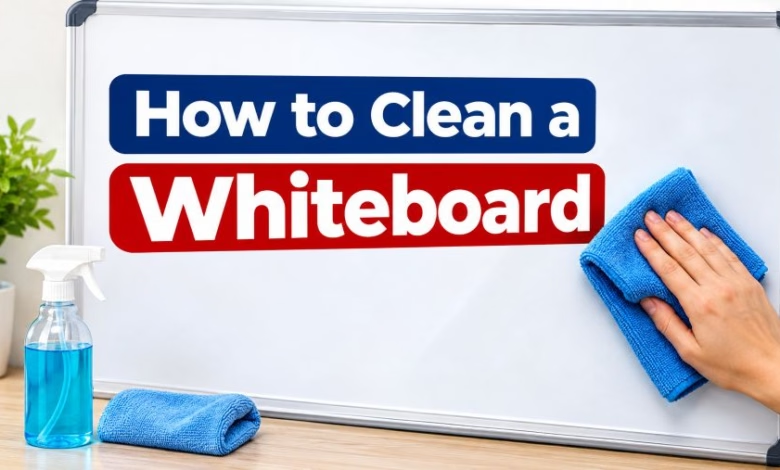
Whiteboards are useful in classrooms, offices and homes. But after regular use, they can start looking dirty. Old marker stains remain visible, the surface turns dull, and even fresh writing becomes difficult to erase.
Knowing how to clean a whiteboard properly can fix many of these problems without damaging its surface. You may already have everything you need at home.
A soft cloth, clean water and a suitable cleaning solution can make a big difference. The trick is knowing what to use and what to avoid.
Quick Facts About Whiteboard Cleaning
| Factor | Details |
|---|---|
| Best cleaning method | Whiteboard cleaner and microfibre cloth |
| Basic household alternative | Clean water |
| Permanent marker removal | Fresh dry-erase marker |
| Stubborn stain removal | Compatible alcohol-based cleaner |
| Common whiteboard problem | Ghosting |
| Regular maintenance | Daily erasing and cleaning as needed |
| Products to avoid | Abrasive cleaners and strong solvents |
What Makes a Whiteboard Dirty?
Whiteboards collect small amounts of ink residue every time you write and erase something. Over time, this residue builds up and makes the surface look grey or stained.
Leaving marker ink on the board for long periods can also make it harder to remove.
Dirty erasers are another common problem. Instead of clearing the surface, they spread old ink across it.
Fingerprints, dust, incorrect markers and unsuitable cleaning products can make things worse. Sometimes, the actual writing surface becomes damaged, which makes ordinary cleaning less effective.
What Do You Need to Clean a Whiteboard?
You do not need expensive cleaning equipment. Most routine cleaning jobs require only a few basic supplies.
- Clean whiteboard eraser
- Soft microfibre cloth
- Clean water
- Whiteboard cleaning spray
- Fresh dry-erase marker
- Compatible rubbing alcohol for stubborn stains
Check your whiteboard manufacturer’s cleaning instructions before using alcohol or other household products.
How to Clean a Whiteboard Properly
Cleaning a whiteboard is fairly simple. Follow these steps to remove everyday marks and accumulated dirt.
1. Remove Existing Marker Ink
Start with a clean, dry whiteboard eraser. Remove as much writing as possible.
Do not press too hard. If some marks remain, deal with them during the wet cleaning stage.
2. Apply a Suitable Whiteboard Cleaner
Apply a small amount of dedicated whiteboard cleaner according to the instructions on its packaging.
Avoid soaking the surface, particularly around the frame and corners. Excess moisture is unnecessary.
3. Wipe With a Microfibre Cloth
Use a soft microfibre cloth to clean the entire writing surface.
Pay extra attention to areas where old writing remains visible. Gently wipe until the dirt and ink residue come away.
4. Remove Any Remaining Residue
Some cleaning solutions require a rinse with clean water. Check the product instructions before finishing.
Cleaning residue can make fresh marker ink difficult to erase, so make sure none remains.
5. Allow the Whiteboard to Dry
Use a separate dry cloth to remove moisture.
Wait until the surface is completely dry before writing again. Writing on a damp whiteboard can cause ink to smear.
How to Clean a Whiteboard Without Whiteboard Cleaner
Run out of cleaning spray? You can start with plain water.
Water works well for routine cleaning on many whiteboard surfaces, especially when the problem is light dirt or loose ink residue.
Here is how:
- Erase the existing writing.
- Dampen a soft microfibre cloth with clean water.
- Gently wipe the whiteboard.
- Remove remaining moisture with a dry cloth.
- Let the board dry completely.
Avoid using a soaking wet cloth. A small amount of moisture is usually enough.
If stains remain, a compatible whiteboard cleaning solution may be necessary.
How to Remove Permanent Marker From a Whiteboard
Accidentally used a permanent marker? Do not panic.
A fresh dry-erase marker can often help remove permanent ink without using harsh cleaning chemicals.
Draw over the permanent marker stain with a dry-erase pen. Make sure the fresh ink covers the original writing completely.
Then wipe away the marks with a clean eraser or soft cloth. Repeat the process if some of the original ink remains.
The solvents in fresh dry-erase ink can help loosen permanent marker stains.
Whiteboard manufacturer Polyvision recommends this method for removing permanent marker from its writing surfaces.
However, complete removal is not always possible, particularly if the ink has been on the board for a long time or the surface is damaged.
How to Clean a Whiteboard With Rubbing Alcohol
Rubbing alcohol can help remove tough marker stains that ordinary cleaning does not clear.
Isopropyl alcohol is permitted on certain whiteboard surfaces, but some coatings may be sensitive to strong cleaning products.
Check the manufacturer’s instructions first.
If alcohol is suitable for your board, apply a small amount of the recommended solution to a soft cloth. Gently wipe the stained area rather than pouring alcohol directly onto the board.
Remove any remaining cleaning residue and allow the surface to dry.
Use alcohol in a well-ventilated area and keep it away from flames or other ignition sources.
How to Clean an Old and Stained Whiteboard
An old whiteboard may look beyond saving. Still, a thorough cleaning could improve its condition.
Begin by removing loose ink and dust. Use a dedicated cleaning solution to deal with accumulated stains.
Try the fresh marker method on individual stubborn marks. If necessary, use a manufacturer-approved alcohol-based cleaner.
Work gently and check your progress.
If the board remains stained after cleaning, its protective writing surface may have worn down. Scratches and damaged coatings cannot be repaired through ordinary cleaning.
In such cases, replacing the whiteboard may be the better choice.
How to Remove Ghosting From a Whiteboard
Ghosting happens when faint outlines of old writing remain visible after erasing.
It is especially frustrating on heavily used classroom and office whiteboards.
Common causes include old ink residue, dirty erasers, unsuitable cleaning products and worn writing surfaces.
To reduce whiteboard ghosting:
- Use a suitable whiteboard cleaning solution.
- Clean or replace dirty erasers.
- Remove unnecessary writing regularly.
- Use proper dry-erase markers.
- Allow the surface to dry before writing.
Some whiteboard materials are more resistant to ghosting than others. Porcelain and glass boards generally resist staining better than basic melamine boards.
Best Household Products for Cleaning a Whiteboard
Not every household cleaner is safe for a whiteboard. Some products remove ink but leave behind a film or damage the writing surface.
| Cleaning Product | Is It Suitable? |
|---|---|
| Clean water | Suitable for many boards |
| Whiteboard cleaning spray | Recommended when compatible |
| Isopropyl alcohol | Manufacturer approval required |
| White vinegar | Not universally recommended |
| Washing-up liquid | May leave soap residue |
| Hand sanitiser | May leave unwanted residue |
| Window cleaner | Depends on the board material |
| Baking soda | Best avoided |
| Toothpaste | Best avoided |
| Nail polish remover | Best avoided |
A dedicated whiteboard cleaner remains a sensible choice for regular maintenance.
Can You Clean a Whiteboard With Vinegar?
White vinegar is a common household cleaning product, but that does not mean it suits every whiteboard.
Some surfaces may tolerate vinegar-based cleaning solutions. Others have special coatings that require different care.
If your manufacturer does not recommend vinegar, stick with clean water or a suitable whiteboard cleaner.
Can You Clean a Whiteboard With Washing-Up Liquid?
Some whiteboard manufacturers allow mild soap solutions, while others advise against them.
The main problem is residue. Soap can leave a thin film that affects how easily marker ink comes off.
If you are unsure, avoid washing-up liquid and choose a compatible cleaning spray instead.
Can You Clean a Whiteboard With Hand Sanitiser?
Alcohol-based hand sanitiser may loosen certain ink stains.
But many sanitisers contain fragrances, moisturisers and thickening ingredients. These can leave unwanted residue on the writing surface.
A suitable whiteboard cleaner is a better option for regular cleaning.
How to Clean Different Types of Whiteboards
Whiteboards come in several materials. Each surface has its own cleaning requirements.
Melamine Whiteboards
Melamine whiteboards are common in homes and offices. Their surfaces can become stained or scratched with repeated use.
Use a compatible cleaner and a soft cloth. Avoid abrasive products.
Painted Steel Whiteboards
These boards often have magnetic writing surfaces.
Clean them gently to protect the painted coating. Strong solvents and rough cleaning materials may cause damage.
Porcelain Whiteboards
Porcelain or enamel whiteboards offer a durable writing surface and generally resist staining well.
Water and suitable whiteboard cleaning solutions work well for routine maintenance. Always follow the manufacturer’s care instructions.
Glass Whiteboards
Glass boards are relatively resistant to ink absorption.
Use a soft microfibre cloth and a compatible cleaning solution. Do not assume that ordinary window cleaner is suitable for every glass writing board.
Interactive Whiteboards
Electronic whiteboards require extra care because they contain electrical components.
Follow the device manufacturer’s instructions. Keep excess moisture away from electrical connections, sensors and other openings.
How to Clean a Whiteboard Eraser
A dirty whiteboard eraser can undo your cleaning work. Old ink collects inside the eraser and transfers back onto the writing surface.
Gently remove loose ink dust from a standard eraser.
If your eraser has a removable, washable microfibre pad, wash it according to its care instructions. Let it dry completely before putting it back.
Replace worn-out erasers when they no longer remove ink properly.
How Often Should You Clean a Whiteboard?
The answer depends on how frequently you use it.
A busy classroom whiteboard may need more attention than a small board in a home office.
| Frequency | Suggested Cleaning Task |
|---|---|
| After use | Erase unnecessary writing |
| Daily | Remove loose ink and dust |
| Weekly | Clean frequently used boards |
| Monthly | Check the surface and eraser |
| When needed | Treat stubborn marker stains |
This is a suggested maintenance routine rather than a fixed rule for every whiteboard.
Regular light cleaning is often easier than removing weeks of accumulated ink.
Common Whiteboard Cleaning Mistakes
People sometimes damage whiteboards while trying to remove stubborn stains.
Avoid these common mistakes:
- Scrubbing with rough sponges.
- Using toothpaste or baking soda.
- Applying nail polish remover.
- Cleaning with dirty cloths.
- Using furniture polish or oily products.
- Leaving cleaning residue on the surface.
- Writing on a wet whiteboard.
- Using unapproved solvents.
- Mixing different cleaning chemicals.
A damaged writing surface can make marker stains harder to remove in the future.
Gentle cleaning is usually the better approach.
How to Keep a Whiteboard Clean for Longer
Small everyday habits can make whiteboard maintenance much easier.
Use proper dry-erase markers and remove writing when it is no longer needed. Keep your eraser clean and store cleaning supplies nearby.
Avoid touching the writing surface unnecessarily because natural skin oils can leave marks.
Also, keep sharp objects away from the board. Even small scratches can affect how well the surface works.
Give frequently used whiteboards a proper clean whenever ink residue starts building up.
Final Thought
Learning how to clean a whiteboard does not need to be complicated. Clean water, a soft microfibre cloth and a suitable cleaning solution can handle most everyday cleaning tasks.
For permanent marker stains, try using fresh dry-erase ink. For tougher marks, check whether your whiteboard can be cleaned with isopropyl alcohol.
Avoid harsh products and unnecessary scrubbing. A little regular care can keep your whiteboard looking fresh and working properly for longer.
Frequently Asked Questions
1. What is the best way to clean a whiteboard?
Use a compatible whiteboard cleaning spray and a soft microfibre cloth. Remove existing writing first, clean the surface and allow it to dry completely.
2. Can I clean a whiteboard with water?
Yes. Clean water and a soft cloth are suitable for routine cleaning on many whiteboard surfaces.
3. How do you remove permanent marker from a whiteboard?
Cover the permanent ink with a fresh dry-erase marker and wipe it away. Repeat if necessary.
4. Does rubbing alcohol damage whiteboards?
Rubbing alcohol is suitable for certain whiteboards but may damage some coatings. Check the manufacturer’s instructions before using it.
5. Why does my whiteboard look dirty after erasing?
Accumulated ink residue, dirty erasers and damaged writing surfaces can leave visible marks after erasing.
6. Can you clean a whiteboard with baby wipes?
Baby wipes are not ideal for regular whiteboard cleaning because some contain lotions and other ingredients that leave residue.
7. Can you restore an old whiteboard?
Thorough cleaning may improve an old whiteboard if the problem is accumulated ink. However, permanently damaged surfaces may need replacing.
8. Should you clean a brand-new whiteboard?
Yes, follow the manufacturer’s initial cleaning instructions before using a new whiteboard for the first time.